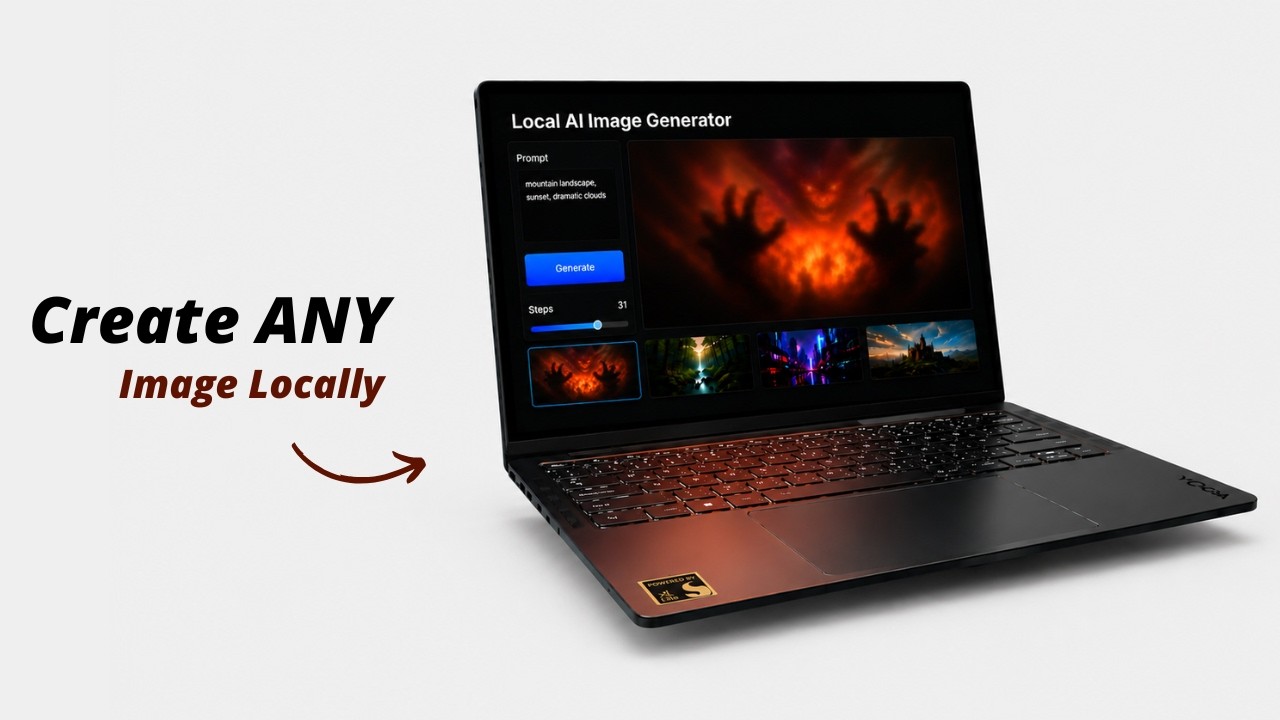
# 🖼️ Local AI Image Generator
### An easy, zero-setup Stable Diffusion GUI for Windows. Run GGUF & Safetensors models offline without Python configuration.
| **Generation Workspace** | **Model Library** | **Image Constraints** |
| :---: | :---: | :---: |
| 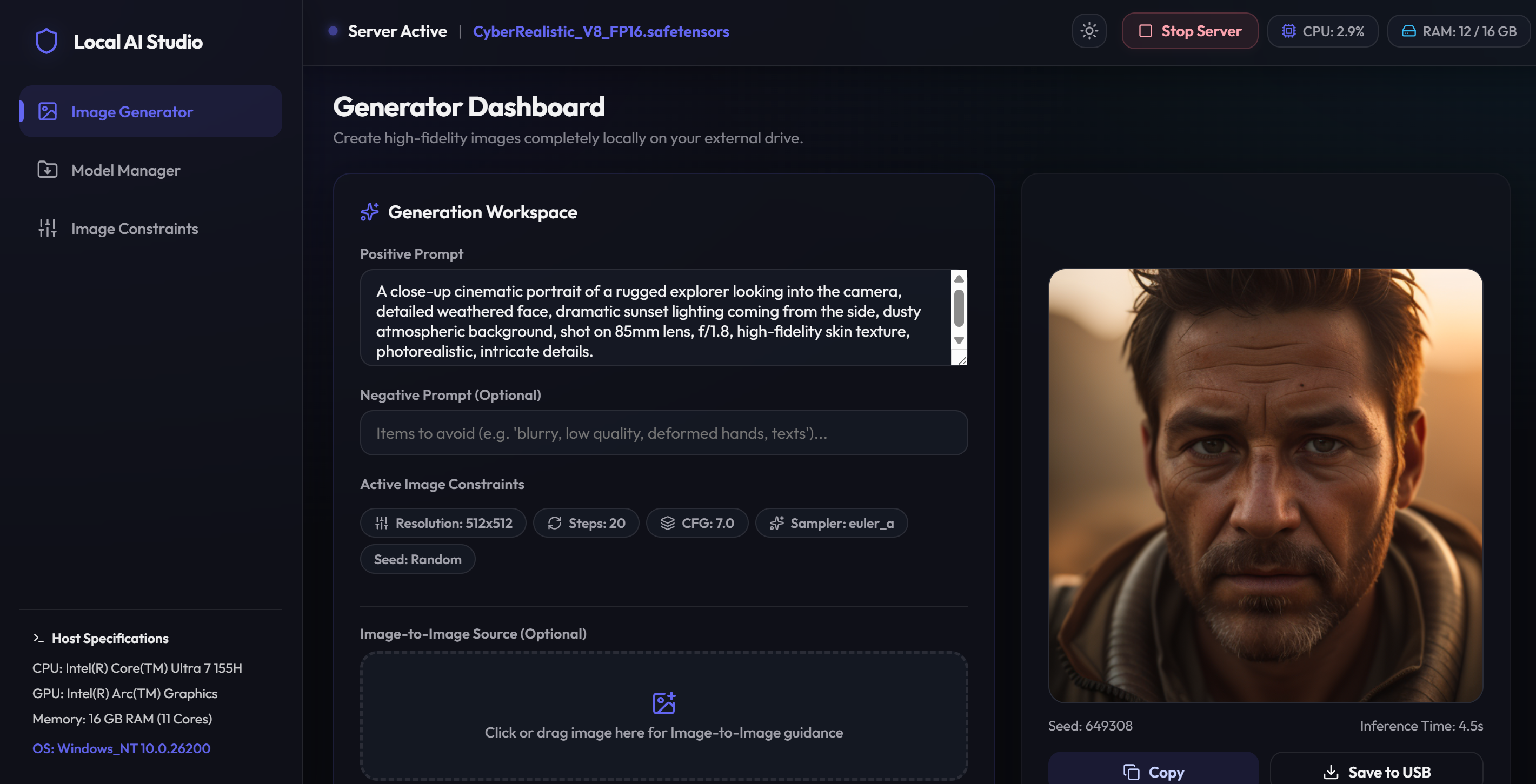 |
| 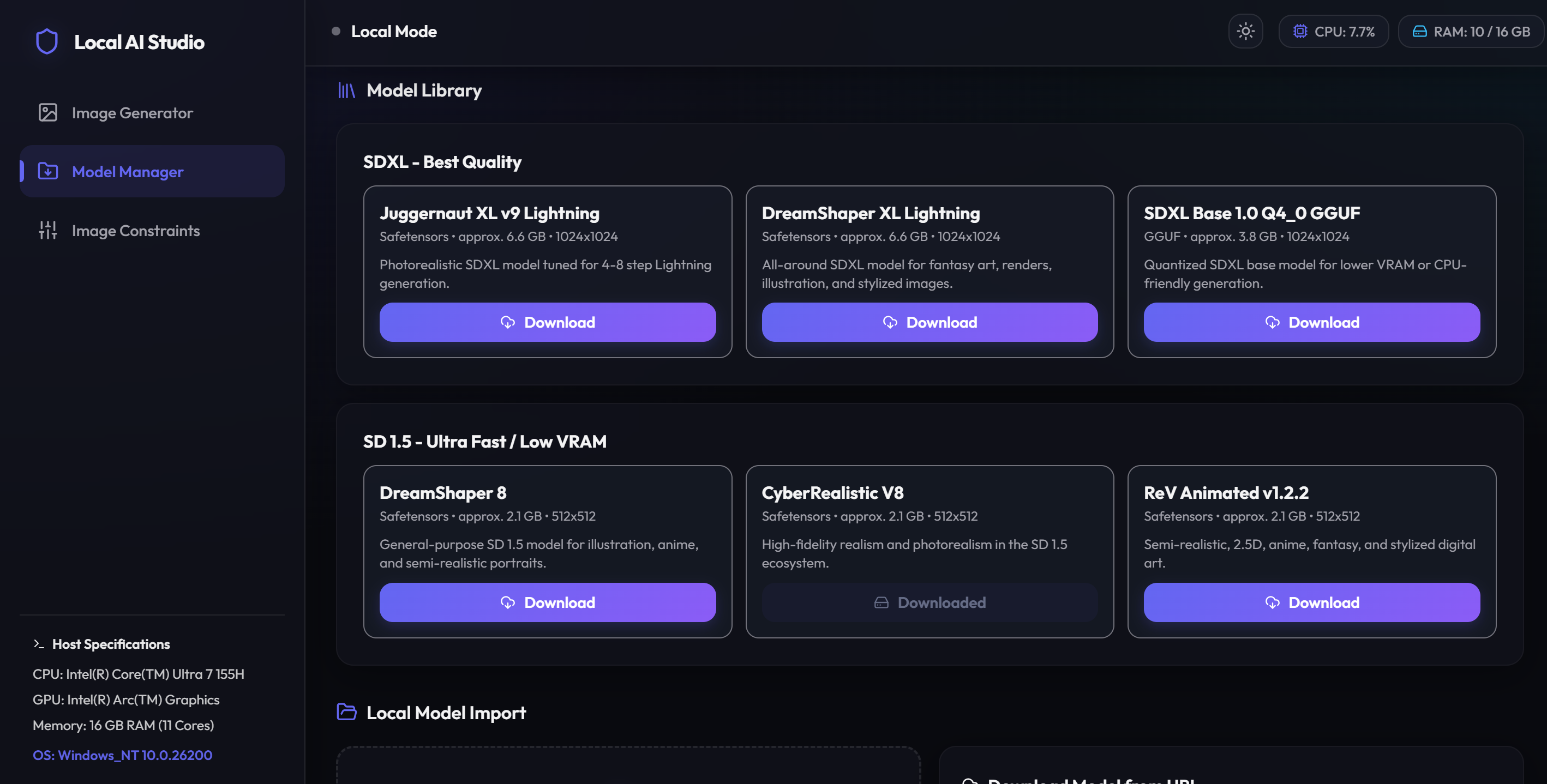 |
| 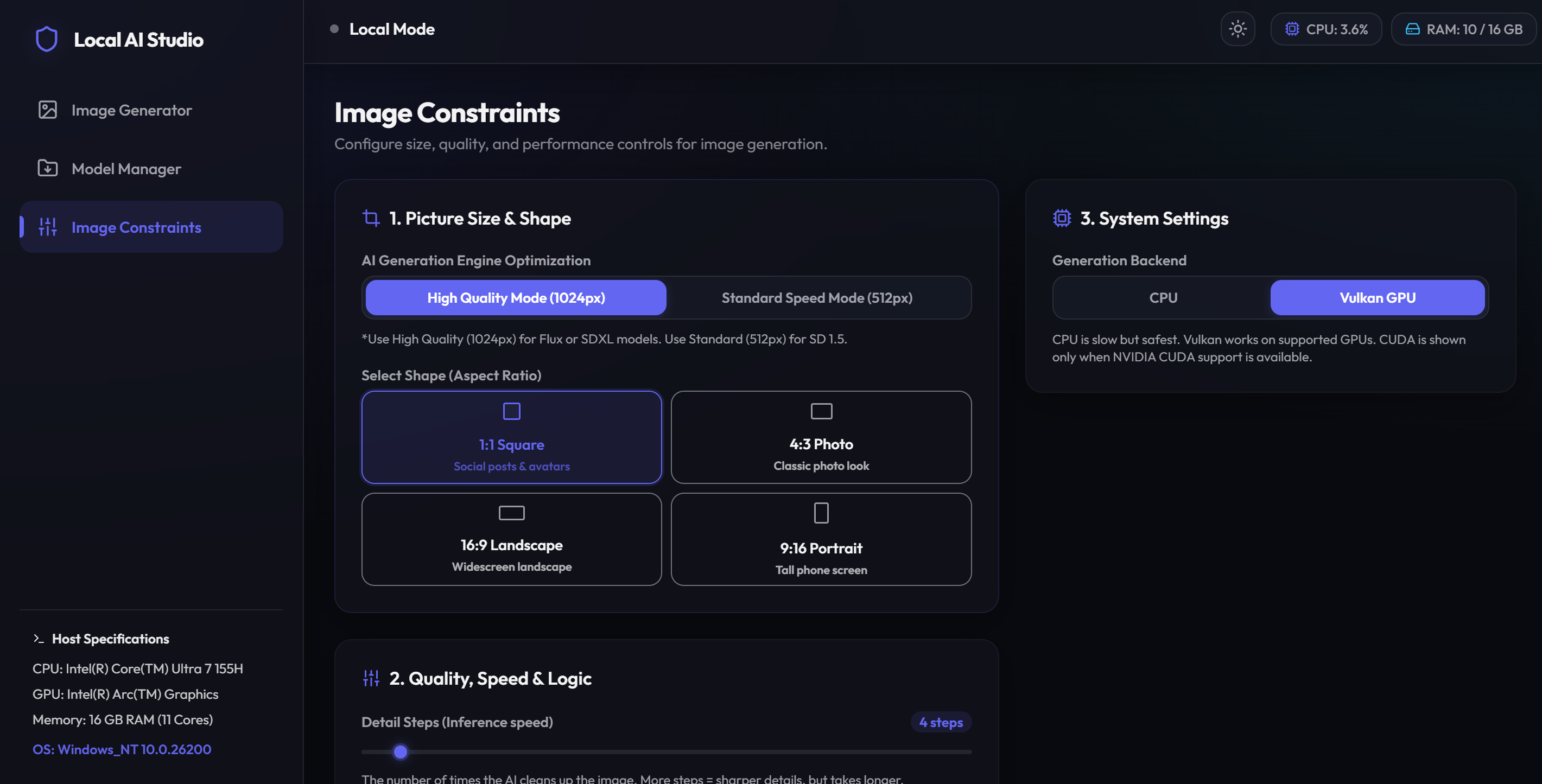 |
---
---
## 📖 Overview
**Local AI Image Generator** is a zero-configuration, portable desktop environment for running Stable Diffusion (Safetensors/GGUF/CKPT) offline on Windows. Double-clicking `start.bat` automatically handles dependency setup, GPU backend matching (CUDA/Vulkan), and launches a high-performance local web workspace.
---
## ⚡ Quick Start
1. **Launch:** Double-click **`start.bat`** (downloads portable Node.js and pre-compiled GPU backend binaries on first run).
2. **Add Models:** Drop `.safetensors`, `.gguf`, or `.ckpt` weights into `app/models/` (or download them via the **Model Manager** tab in the UI).
3. **Generate:** Open `http://localhost:1420` in your browser, select your model, and write a prompt.
---
## ✨ Features
* **100% Offline & Private:** Inference runs completely locally on your hardware.
* **Auto-Detected GPU Acceleration:** Configures **CUDA** for Nvidia cards, and **Vulkan** for AMD or Intel Arc GPUs.
* **Zero System Footprint:** Node.js is sandboxed inside the folder. No global environment paths are altered.
* **Integrated Model Manager:** Paste a Hugging Face URL to download weights directly, or drag-and-drop local weight files to import them.
* **Real-time Telemetry:** Monitor RAM, VRAM, CPU, and GPU load directly in the UI.
* **Local Gallery:** Saves generated PNGs alongside prompt metadata JSONs to `app/outputs/`.
---
## 📁 Repository Structure
```
local-ai-image-generator/
├── start.bat # Main double-click entrypoint
├── LICENSE # MIT Open Source license
├── .gitignore
├── README.md
├── scripts/
│ ├── setup.ps1 # Automated GPU-detect and environment installer
│ ├── reset.ps1 # Cleans runtime environments (keeps models & outputs)
│ └── serve.cjs # UI web server and backend lifecycle manager
└── app/
├── frontend/ # UI source code (Vite + React)
├── models/ # Place weights here (.safetensors, .gguf, .ckpt)
└── outputs/ # Saved images and parameters metadata
```
---
## 🖥️ GPU Compatibility Matrix
| GPU Vendor | Tech | Status | Notes |
| :--- | :--- | :--- | :--- |
| **Nvidia** | CUDA | ✅ Native | Maps `sd-cuda.exe` with Nvidia SDK 12 optimizations. |
| **AMD Radeon** | Vulkan | ✅ Native | Maps `sd-vulkan.exe` with Vulkan API acceleration. |
| **Intel Arc** | Vulkan | ✅ Native | Maps `sd-vulkan.exe` for Intel hardware. |
| **Integrated / None** | CPU | ⚠️ Fallback | Runs on logical CPU threads (slow). |
---
## ⏱️ Performance Benchmarks
Typical generation times for an image with **20 steps** (e.g. 512x512 resolution; actual times can vary depending on specific hardware specifications, clock speeds, and system load):
* **CUDA GPU (Nvidia RTX):** ~10 seconds.
* **Vulkan GPU (AMD / Intel Arc):** ~89 seconds.
* **GTX Vulkan Fallback (Nvidia GTX):** ~30 seconds (Vulkan runs significantly faster on legacy GTX series cards since they lack Tensor Cores).
* **CPU (Fallback):** ~150 - 300+ seconds (highly dependent on processor core count, speed, and AVX instruction sets).
---
## 🛠️ Troubleshooting
* **Reset Environment:** If a build fails or you want to clear dependencies, run `scripts/reset.ps1`. (This preserves your models and generated images).
* **Port Conflicts:** The application binds to ports `1420` (Frontend) and `8080` (Backend API). Ensure these are free.
---
## 📝 License
This project is licensed under the MIT License - see the [LICENSE](LICENSE) file. Bundles [stable-diffusion.cpp](https://github.com/leejet/stable-diffusion.cpp) (MIT License). Model weights are subject to their respective creators' licenses.
|
---
---
## 📖 Overview
**Local AI Image Generator** is a zero-configuration, portable desktop environment for running Stable Diffusion (Safetensors/GGUF/CKPT) offline on Windows. Double-clicking `start.bat` automatically handles dependency setup, GPU backend matching (CUDA/Vulkan), and launches a high-performance local web workspace.
---
## ⚡ Quick Start
1. **Launch:** Double-click **`start.bat`** (downloads portable Node.js and pre-compiled GPU backend binaries on first run).
2. **Add Models:** Drop `.safetensors`, `.gguf`, or `.ckpt` weights into `app/models/` (or download them via the **Model Manager** tab in the UI).
3. **Generate:** Open `http://localhost:1420` in your browser, select your model, and write a prompt.
---
## ✨ Features
* **100% Offline & Private:** Inference runs completely locally on your hardware.
* **Auto-Detected GPU Acceleration:** Configures **CUDA** for Nvidia cards, and **Vulkan** for AMD or Intel Arc GPUs.
* **Zero System Footprint:** Node.js is sandboxed inside the folder. No global environment paths are altered.
* **Integrated Model Manager:** Paste a Hugging Face URL to download weights directly, or drag-and-drop local weight files to import them.
* **Real-time Telemetry:** Monitor RAM, VRAM, CPU, and GPU load directly in the UI.
* **Local Gallery:** Saves generated PNGs alongside prompt metadata JSONs to `app/outputs/`.
---
## 📁 Repository Structure
```
local-ai-image-generator/
├── start.bat # Main double-click entrypoint
├── LICENSE # MIT Open Source license
├── .gitignore
├── README.md
├── scripts/
│ ├── setup.ps1 # Automated GPU-detect and environment installer
│ ├── reset.ps1 # Cleans runtime environments (keeps models & outputs)
│ └── serve.cjs # UI web server and backend lifecycle manager
└── app/
├── frontend/ # UI source code (Vite + React)
├── models/ # Place weights here (.safetensors, .gguf, .ckpt)
└── outputs/ # Saved images and parameters metadata
```
---
## 🖥️ GPU Compatibility Matrix
| GPU Vendor | Tech | Status | Notes |
| :--- | :--- | :--- | :--- |
| **Nvidia** | CUDA | ✅ Native | Maps `sd-cuda.exe` with Nvidia SDK 12 optimizations. |
| **AMD Radeon** | Vulkan | ✅ Native | Maps `sd-vulkan.exe` with Vulkan API acceleration. |
| **Intel Arc** | Vulkan | ✅ Native | Maps `sd-vulkan.exe` for Intel hardware. |
| **Integrated / None** | CPU | ⚠️ Fallback | Runs on logical CPU threads (slow). |
---
## ⏱️ Performance Benchmarks
Typical generation times for an image with **20 steps** (e.g. 512x512 resolution; actual times can vary depending on specific hardware specifications, clock speeds, and system load):
* **CUDA GPU (Nvidia RTX):** ~10 seconds.
* **Vulkan GPU (AMD / Intel Arc):** ~89 seconds.
* **GTX Vulkan Fallback (Nvidia GTX):** ~30 seconds (Vulkan runs significantly faster on legacy GTX series cards since they lack Tensor Cores).
* **CPU (Fallback):** ~150 - 300+ seconds (highly dependent on processor core count, speed, and AVX instruction sets).
---
## 🛠️ Troubleshooting
* **Reset Environment:** If a build fails or you want to clear dependencies, run `scripts/reset.ps1`. (This preserves your models and generated images).
* **Port Conflicts:** The application binds to ports `1420` (Frontend) and `8080` (Backend API). Ensure these are free.
---
## 📝 License
This project is licensed under the MIT License - see the [LICENSE](LICENSE) file. Bundles [stable-diffusion.cpp](https://github.com/leejet/stable-diffusion.cpp) (MIT License). Model weights are subject to their respective creators' licenses.